Sign in your way.
SAML sign-in in a WebKit window, with optional form autofill and TOTP. A valid saved sign-in session can keep the window out of your way.
 ocbar/ macOS
An AnyConnect-compatible VPN client that lives in your Mac’s menu bar. Sign in with SSO, choose what goes through the tunnel, and get on with your day.
Free & open source · Built locally with Homebrew

01 / A connection with boundaries
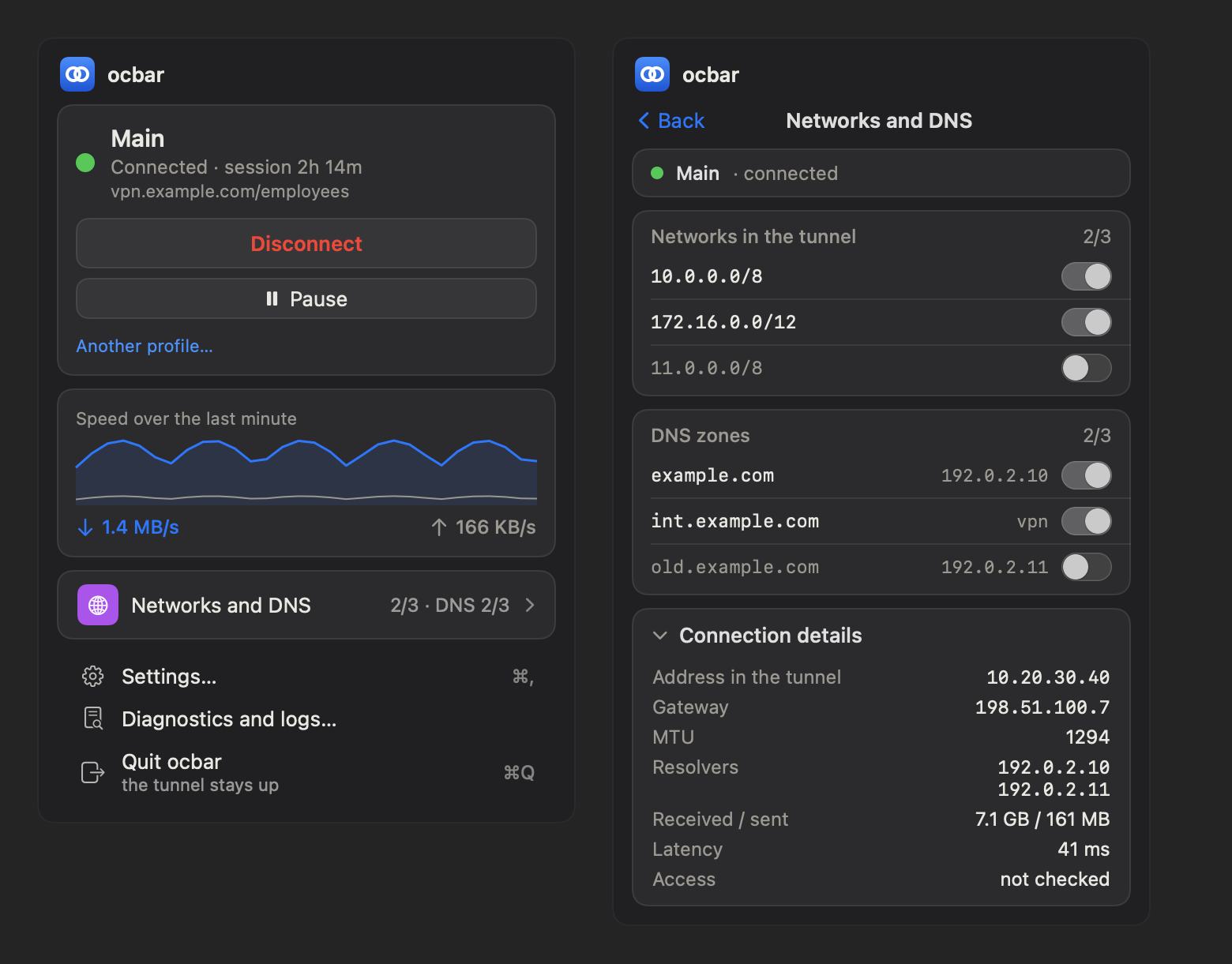
Send selected networks through your work VPN. Keep everything else on your usual connection. Change routes and DNS zones without reconnecting.
Need a moment off the work network? Pause removes ocbar’s routes and DNS zones while keeping the session alive. Resume without another sign-in while that session remains valid.
Explore all features ↗10.0.0.0/8172.16.0.0/122 example networks selected. Try the switches. This does not change your connection.
02 / Made for the menu bar
Connection status, traffic and network controls, right where you expect them. Open the menu, check what matters, get back to work.
Open full-size screenshot ↗
SAML sign-in in a WebKit window, with optional form autofill and TOTP. A valid saved sign-in session can keep the window out of your way.
The supervisor reconnects after sleep, network changes and dropped links. If your login expires, the app asks you to sign in.
Use macOS Keychain, KeePassXC or your own command. Profiles hold references to credentials, not the credentials themselves.
03 / Make yourself at home
ocbar builds from source on your Mac through Homebrew. After installation, the setup wizard helps you add your gateway and sign in.
Verified by the author: macOS 26 on Apple Silicon, AnyConnect + Keycloak SSO. macOS 13–25 and Intel are not yet verified.
Installation & first connection ↗brew tap ValeraGin/ocbar
brew trust ValeraGin/ocbar
brew install ocbarThe tap is a third-party source. Review it before granting trust. Homebrew compiles the app locally.
sudo ocbar install
ocbar app start
Tunnel mode needs the privileged helper. The first command asks for your Mac administrator password in Terminal.
Follow the setup wizard: enter your gateway and group, add the networks and DNS zones you need, then sign in. Ask your VPN administrator for these settings if needed.
Tunnel mode installs a root-owned helper and OpenConnect copy, a background reconnect agent, and a sudoers rule. Members of the Mac’s admin group can run this helper without entering a password each time. The menu bar app itself runs without root privileges.
Security ↗Run these commands in order: first stop the connection and remove the helper, its passwordless rule and background agents; then remove the Homebrew package.
sudo ocbar uninstall
brew uninstall ocbar
Profiles, logs, saved sign-in data and Keychain entries remain. The installation guide explains what is left and where to find full cleanup instructions.
Installation & first connection ↗Before you connect
No. ocbar is a client for a VPN gateway you already have access to, such as your company’s AnyConnect-compatible gateway. It does not provide VPN servers or an anonymity service.
The author uses it daily on macOS 26 with Apple Silicon, an AnyConnect gateway and Keycloak SSO. macOS 13–25 and Intel Macs are expected to work but are not verified. Gateway policies and sign-in flows vary; compatibility with every deployment is not guaranteed.
The app is currently distributed as a Homebrew source build, not a signed and notarized download. You need Command Line Tools; the full Xcode app is not required. Update with brew upgrade ocbar. If the helper changes, run sudo ocbar install again.
Yes. The optional SOCKS proxy mode uses OpenConnect with ocproxy, without root, system routes or DNS changes. Install ocproxy separately and configure apps to use the local proxy. IPv6 routes inside tunnel mode are not currently supported.
ocbar is a single-author project by Valery Ignatkovich, released under the MIT license. The app has no analytics, crash reporting or automatic update checks. It talks to your gateway and identity provider and keeps local logs. The source and security model are available on GitHub.
Made for a real workday. Open for you to inspect, use and improve.
Explore ocbar on GitHub ↗